Platform Features
Change Tracking:
See every decision
before it becomes a
problem
Revisions should not be hiding in PDFs, emails, and separate spreadsheets.
efficiently connects every change to the exact item, room, or schedule it affects so your team always knows what changed, who changed it, and what it impacts next.
Why Change Tracking Fails Today
Changes live in different tools
Designers update PDFs. Builders update redlines. Everyone edits spreadsheets. None of it is in one place, so you spend hours trying to work out which version is current.
Important updates are never captured properly
A finish is swapped in an email. A consultant tweaks a layout in a comment thread. A builder agrees to a substitution on a call. If no one records it in a structured way, that change might as well not exist.
Small revisions turn into expensive mistakes
One missed update means the wrong product is ordered, the wrong item is installed, or the wrong quantity is procured. Schedules slip. Budgets take a hit. No one can see the chain of events that caused it.
The Change Tracking Layer
Inside efficiently
efficiently keeps a complete history of everything that changes on a project, then gives
you control over when those changes become formally documented and visible in
schedules and exports.
Instead of trying to work from memory or scattered markups, your team works from a
clear record of what changed, when it changed, and why it changed.
How Change Works in efficiently
Always on, always recording
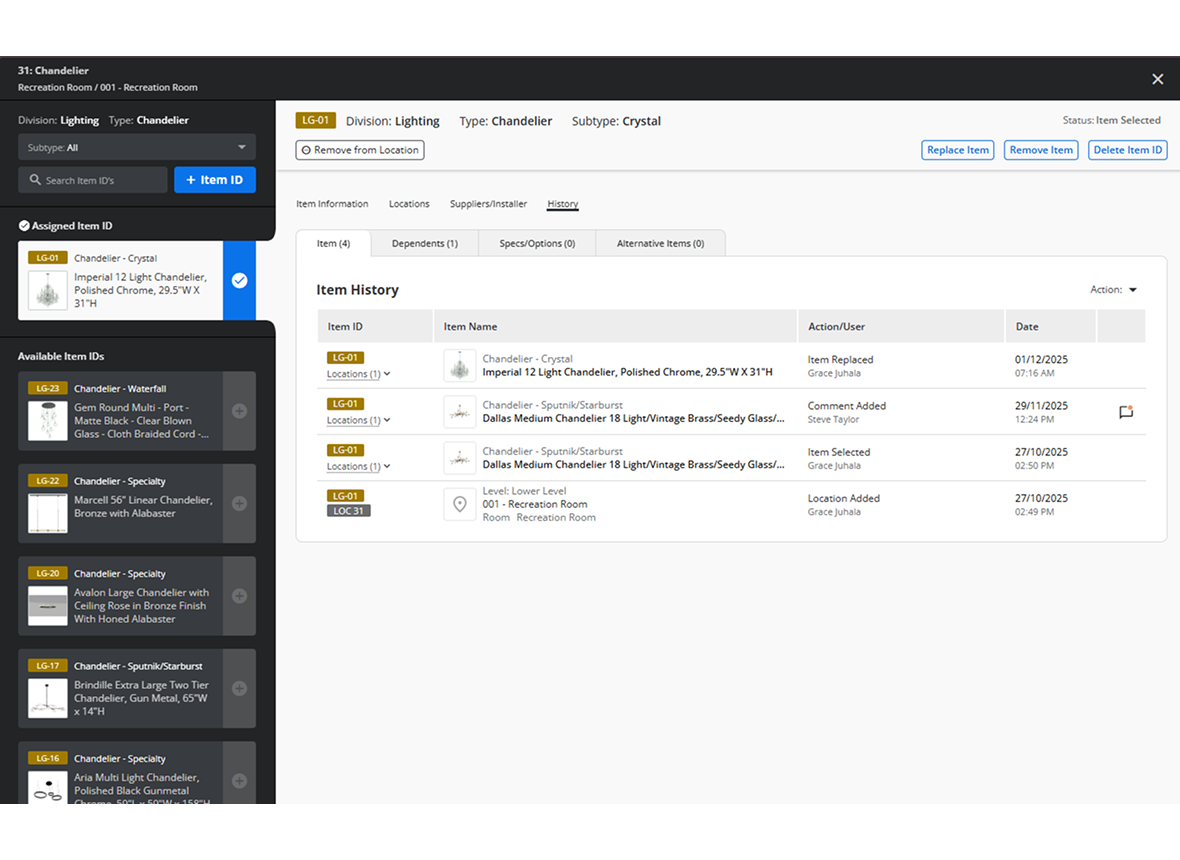
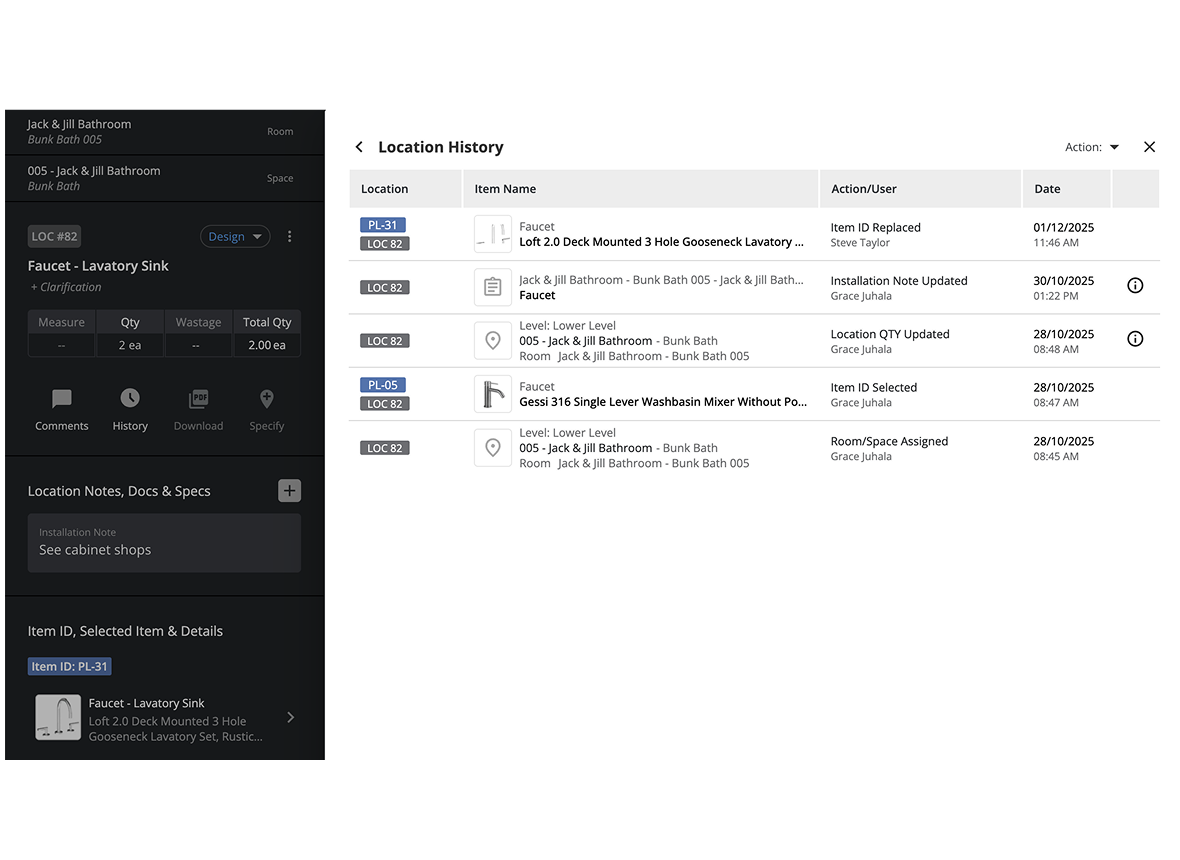
History
From day one, efficiently records every edit to your project, including:
- Product swaps
- Spec and note updates
- Alternates
- Quantity or location changes
This runs quietly in the background. Design teams can move fast, explore options, and refine the design without any extra process. Nothing is lost.
Turn it on when accuracy matters
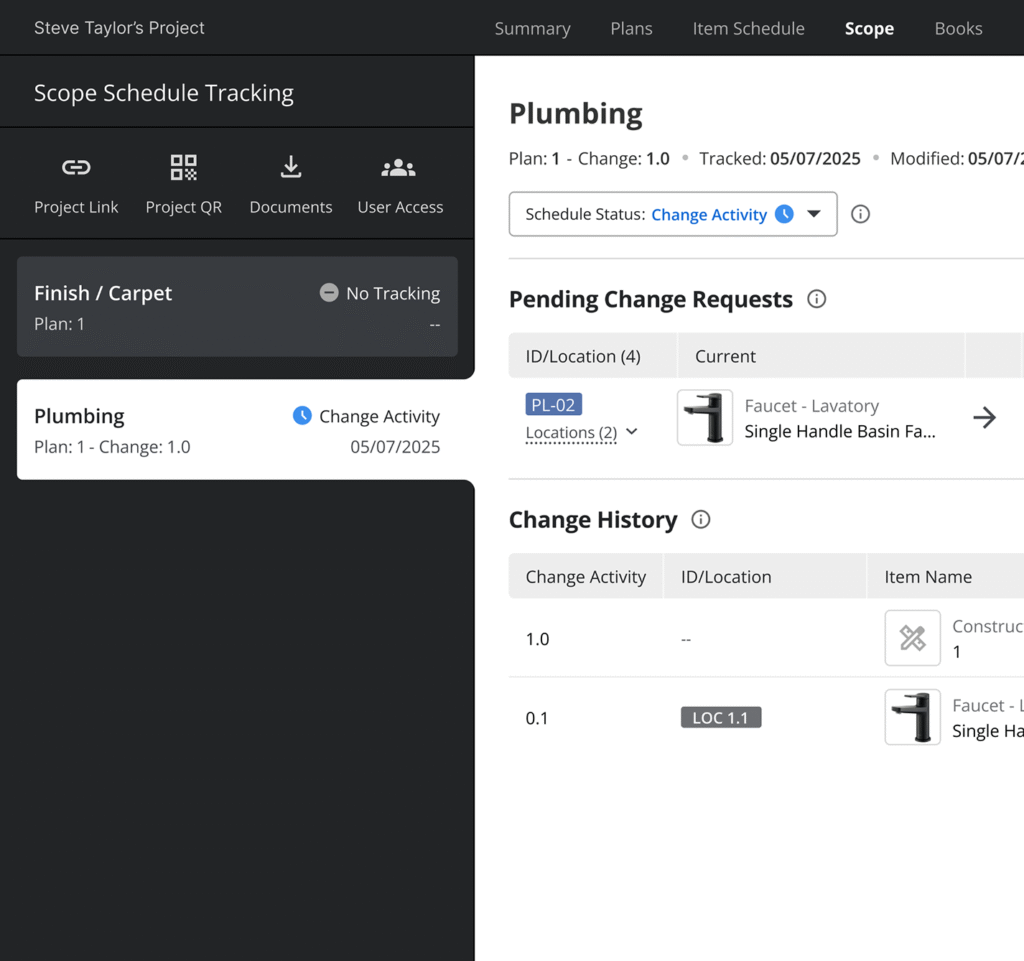
Change Tracking
Early in design, no one wants heavy process. Later, everyone wants certainty. When the project is ready for formal documentation, the project owner turns on Change Tracking for a division or scope.
Once Change Tracking is enabled for that work:
- Each update becomes a visible revision
- Item schedules and exports show that a change has occurred
- Each locations becomes versioned
- Builders and developers receive clean, current schedules instead of guesswork
You stay flexible in early design, then precise when the project is heading toward procurement and construction.
Structured approvals, (coming soon)
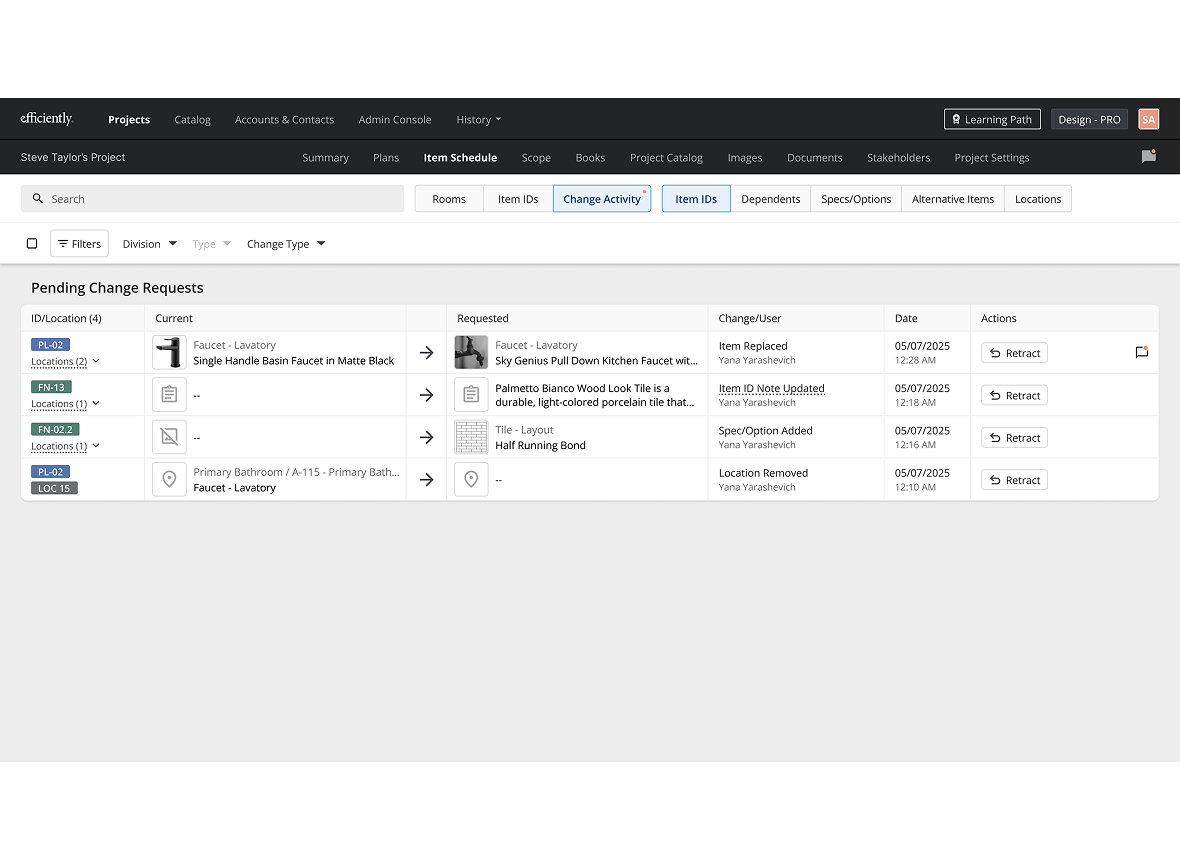
Change Activity
For teams that need full review and sign off before a change goes live, Change Activity will add a structured layer on top of History and Change Tracking.
Planned capabilities include:
- Locking schedules after Bid Commitment
- Proposed changes routed for approval
- Group related updates into clear Change Events or Orders
- Sync approved changes into Procore Change Orders
History keeps everything recorded. Change Tracking makes revisions visible in the schedule. Change Activity will add governance when you need formal control.
What Change Tracking Unlocks
Automatic version trails
Every selection and spec carries a clear history. You can see how it evolved over time without digging through files.
Impact awareness instead of guesswork
Teams can see how a single change affects items, locations, quantities, and schedules. There are fewer surprises when work reaches the field.
Clear client decision record
Client decisions are captured with context and timing. This reduces disputes and ends the “We never approved that” loop.
Connected updates across modules
Change an item, the schedule reflects it. Update a finish, the affected rooms see it. Adjust a spec, installers work from the latest information.
Predictable handoffs to construction
Builders receive schedules that reflect the real state of design, not a version from three revisions ago. Designers and developers know the field is building from what was actually agreed.
Who Benefits
Stay flexible in early design, then lock in clarity when it’s time to hand off.
Work freely while ideas are evolving, then turn on Change Tracking to create a clean, documented record of revisions for builders and downstream teams.
Builders & GCs
Know exactly what changed, when it changed, and what’s current.
Receive schedules that clearly show revisions instead of chasing updates across emails, PDFs, and conflicting versions. Fewer surprises, less rework, more time on site.
Developers / Owners
See how decisions evolve and where risk is coming from.
Get a transparent view of design changes, their history, and their impact, so you can understand what’s driving cost, scope, and risk before it shows up in the field.
Ready to Bring Order to the Chaos of Change?
Developers, owners, builders, Architects & Design Build
We’ll help you choose the right solution for your team.
Need more answers?
Explore More Features

Catalog
Foundation and data engine
Learn more

Room Specs
Client-facing output
Learn more

Item Schedules
Technical execution layer
Learn more

Plan Breakdown
Comments, approvals, internal and external
Learn more

AI Approvals
Centralized client decisions
Learn more

Platform Overview
An overview of the platform
Learn more